ARCHITEC vs. PixWork: Two InDesign Architecture Portfolio Templates Compared
- Project
- Graphic Design
- Drawn by
- Dirk Petzold
- Issued
- Sheet
- A-34
ARCHITEC suits client pitches, while PixWork gives applicants a story-led structure. Compare their layouts, limits and screen-ready formats.
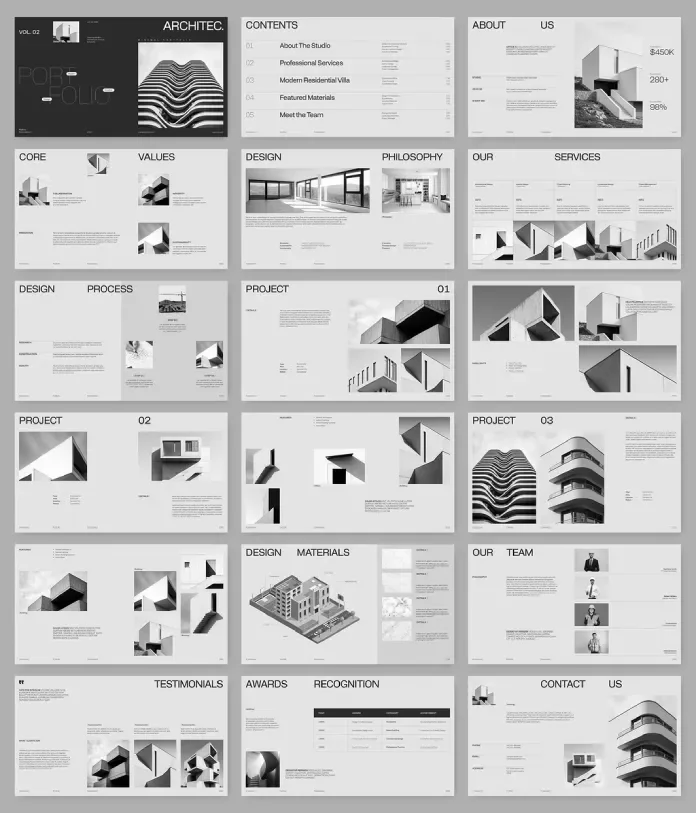
The key choice between ARCHITEC and PixWork is who needs to be persuaded by your portfolio. Designcy Studio’s ARCHITEC is structured to introduce a studio to prospective clients; PixWork’s template is geared towards architects applying for roles. Both use Adobe InDesign and a 1920 × 1080 px canvas, but their page sequences serve different readers.
That distinction matters when portfolios are shared on laptops, in screen shares and through projectors. A widescreen layout gives architectural photography room to breathe, while a sequence built for the intended reader can make the work easier to assess. The right template depends less on which one looks more appealing at first glance and more on what the portfolio needs to accomplish.
Two templates, two kinds of reader
ARCHITEC comprises 18 pages arranged across five functional zones: cover and contents, studio introduction, project showcase, team and awards, and contact. Its project pages include a details panel for project type, size, location and completion year. Those fields give studio work a consistent frame and let prospective clients find practical information alongside the images.
PixWork’s listing describes an index, project pages, layout options, a portfolio section and a thank-you page. The source write-up does not state its page count, so buyers should check the current Adobe Stock listing before purchasing. Its sequence is described as narrative-led, with room for project details and the design process. That process material is useful to applicants: it gives an employer evidence of how a designer approaches a project, beyond the finished renders.
This difference can be thought of as reader-first sequencing: arrange the pages around the questions the reader is likely to bring. A client considering a studio may look for team credentials and contact information. An employer assessing an individual may want to see selected projects and how the applicant developed them.
What they share
Both templates are editable InDesign files, and both use placeholder images and text. Neither provides project photography or finished portfolio copy; buyers need to supply their own work and information. Each uses a 1920 × 1080 px format, suited to screen presentations and projectors. That landscape canvas gives wide building photographs space to span a page and avoids squeezing them into a portrait-first structure.
Adobe InDesign must be installed to use either file. The source states that the software is available for Mac and PC through Adobe Creative Cloud. These are screen-format layouts, so anyone planning print delivery should expect to adapt the pages rather than send them to print as-is.
ARCHITEC: a studio presentation with a consistent grid
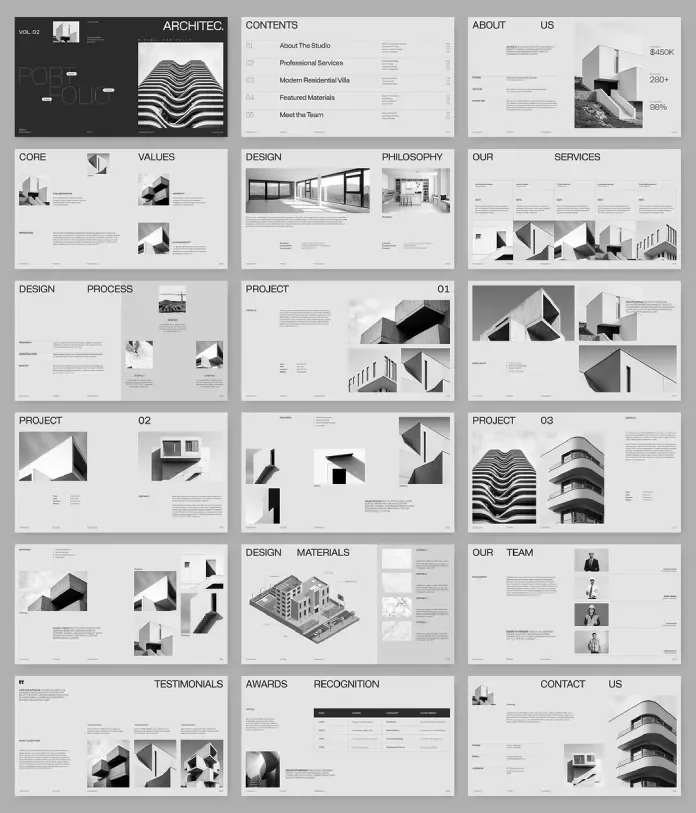
ARCHITEC’s strength is how its image frames and information pages work together. In a review published in July 2026, four sets of project photography were tested in the template, and the page rhythm remained consistent. The fixed framing asks designers to make deliberate crop choices. That constraint can help a deck feel coherent when its source images vary in shape and scale.
The awards table follows the same column proportions as the image grids. This shared grid logic ties a data-heavy spread to the visual pages, making the 18-page presentation read as a system. The project details panel adds another practical layer: its repeated fields help standardize information from one project to the next.
Team profiles, a testimonials spread, an awards table and a contact page give a studio several ways to establish credibility and invite a follow-up. For a client presentation, those pages can be more useful than adding another project spread without a clear purpose.
There are trade-offs. The team portrait frames use a fixed portrait ratio, so headshots with different proportions may need cropping before placement. The cover variations are all dark; a light option would give studios another route for matching the presentation to their existing visual identity.
PixWork: a narrative structure for applications
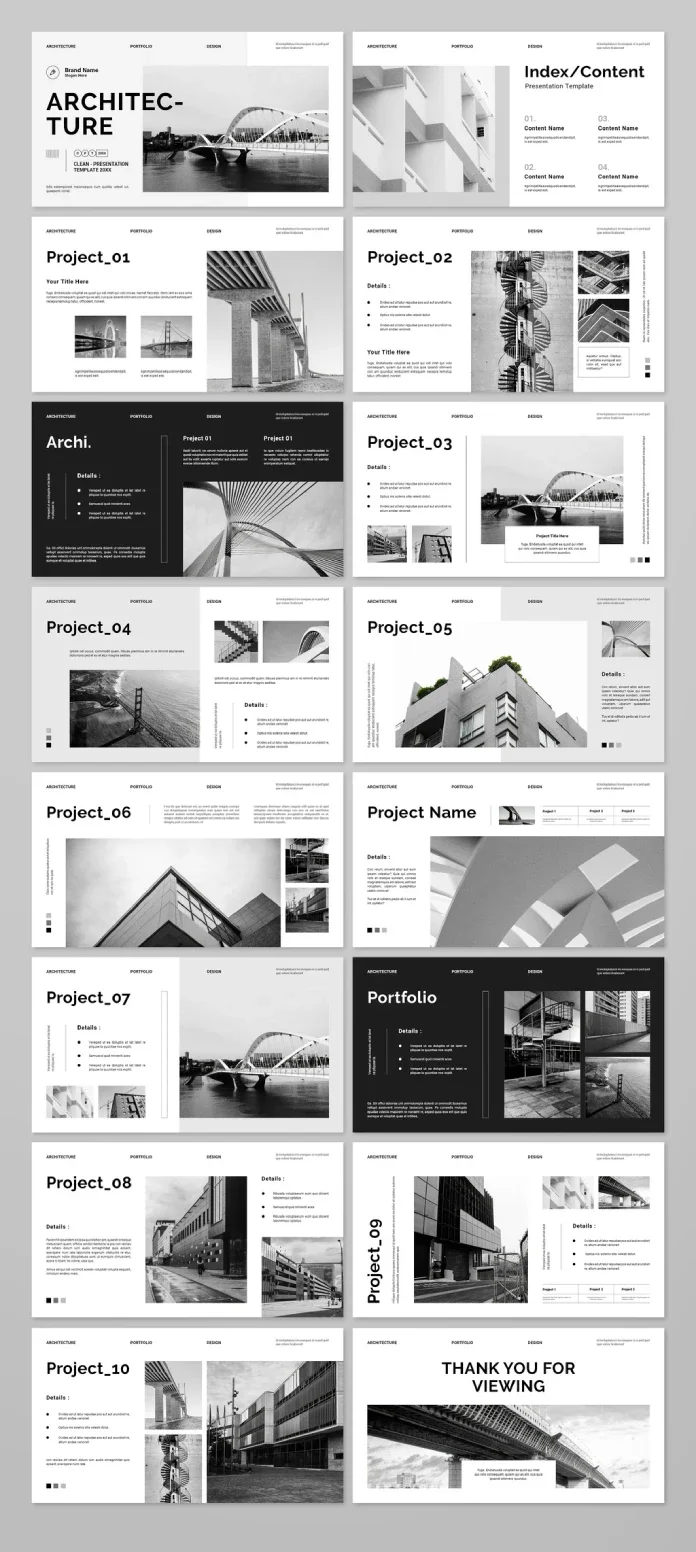
PixWork’s clearest advantage is its focus on telling a project story. Its pages make room for details and process, which can help students, graduates and experienced architects applying for roles show more than polished imagery. The source write-up, published in February 2025, also names graphic and interior design projects among its possible uses.
The ending is less effective for an application. PixWork finishes with a thank-you page, which gives a reader little direction unless the designer adds contact details. A practical adjustment is to include contact information there or replace the final page with a dedicated contact spread. ARCHITEC already includes a contact page as its ending.
PixWork’s page count and any data-page options are not confirmed in the source write-up. That leaves a gap in what buyers can assess before purchase. Check the listing for those specifications and preview the page types before deciding whether its structure fits your work.
Match the file to the job
For architecture students and graduates, PixWork is the more natural starting point: its stated audience includes internship seekers and people applying for their first role, as well as experienced architects looking to change jobs. Add clear contact information to the final page and make sure project descriptions show both the outcome and the thinking behind it.
For small studios and freelance architects preparing client presentations, ARCHITEC offers a more complete studio sequence. Its review estimates that it could reduce portfolio assembly from a week to an afternoon for a studio without dedicated design staff. That is the reviewer’s estimate, not a measured result, and the time saved will depend on how prepared the project content is.
Interior designers could consider either file. PixWork also explicitly names graphic design projects, while ARCHITEC’s stated audiences include interior design firms and urban planning teams. Studios with in-house InDesign expertise may prefer to build a system around their own photography and presentation needs.
In short, ARCHITEC is structured as a client pitch portfolio, with studio credentials and project data alongside the work. PixWork is structured as an application portfolio, with projects and process at its center. Either file can be adapted, though significant changes take time and can reduce the value of starting from a template.
Test image and text behavior before committing
A quick stress test can reveal whether a grid suits the material. On one project spread, try placing a wide panorama, a tall detail photograph and a square image. Look at whether the frames guide considered crops or leave each image at an unrelated size. The goal is to see how the layout handles the proportions your real projects contain.
Then paste in an actual project description. Placeholder text rarely reflects the length and detail of a working brief. Check whether the details panel still fits and whether the page hierarchy remains clear. Finally, export a PDF and review it on a phone: small labels that look legible on a laptop may be difficult to read at that scale.
The source review reports that ARCHITEC held up across its four project sets. It does not report the same test for PixWork, so buyers should try their own images and text in a preview before relying on the template for a finished presentation.
At a glance
| Feature | ARCHITEC by Designcy Studio | PixWork |
|---|---|---|
| Software and canvas | Adobe InDesign; 1920 × 1080 px | Adobe InDesign; 1920 × 1080 px |
| Page count | 18 pages | Not stated in the source write-up; check the listing |
| Structure | Five zones, from studio introduction and projects to team, awards and contact | Index, project pages, layout options, portfolio section and thank-you page |
| Information pages | Project details panel and awards table | Data pages are not listed in the source write-up |
| Audience named in source | Studios, interior design firms, urban planning teams and freelance architects | Students, graduates, experienced architects, and graphic and interior designers |
| Known constraints | Fixed portrait ratio on team frames; dark cover variations | Page count and data-page options need checking |
| Best fit | Client presentations | Job and internship applications |
Before choosing, decide whether the reader needs to assess a studio or an individual, then check the listing’s page details and test the layout with representative images and copy. That small amount of preparation will tell you more than the cover alone.
| Rev | Description | Date |
|---|---|---|
| A | Issued for reading | |
| B | Viewed 541 times | Current |