86 InDesign Templates Tested: What Holds Up When You Change Copy, Fonts, and Colors
- Project
- Graphic Design
- Drawn by
- Dirk Petzold
- Issued
- Sheet
- A-22
Explore 86 hands-on tested InDesign templates across 11 categories, with practical notes on editing, strengths, and potential snags. ===END===
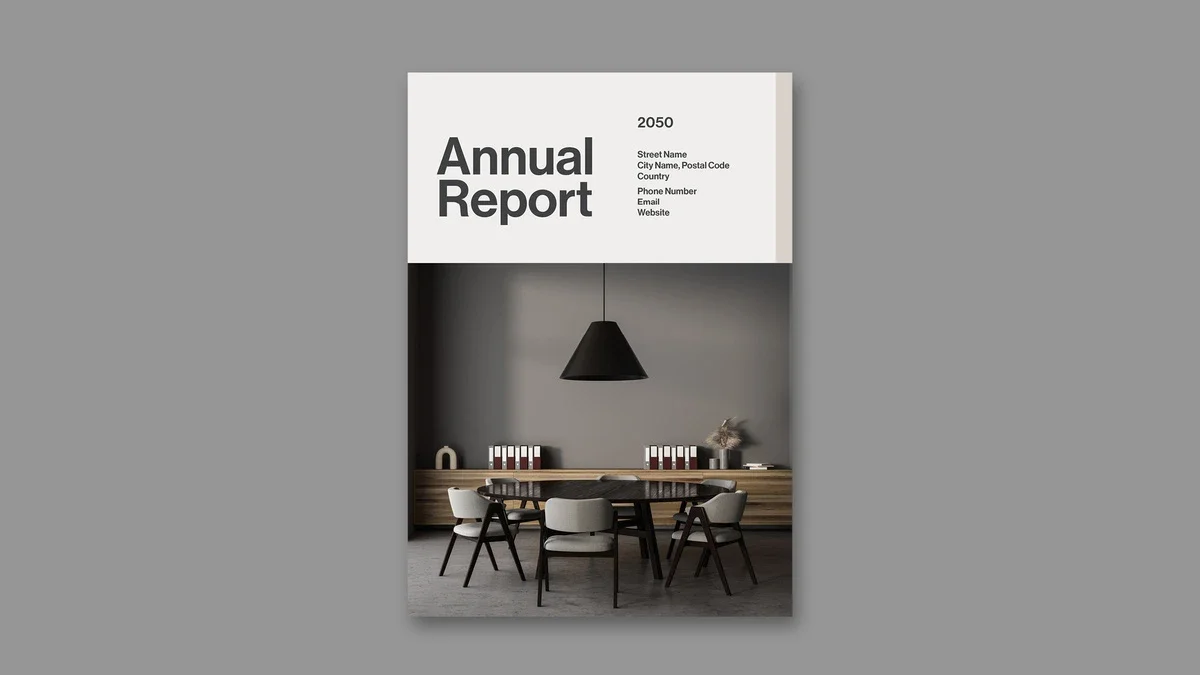
The useful question with an InDesign template isn’t whether its preview looks polished. It’s whether the file still works after you replace the copy, change the type, and send it to print. I selected these 86 templates from reviews I’ve published on WE AND THE COLOR, and tested every file myself. That’s a more meaningful filter than another gallery of attractive covers.
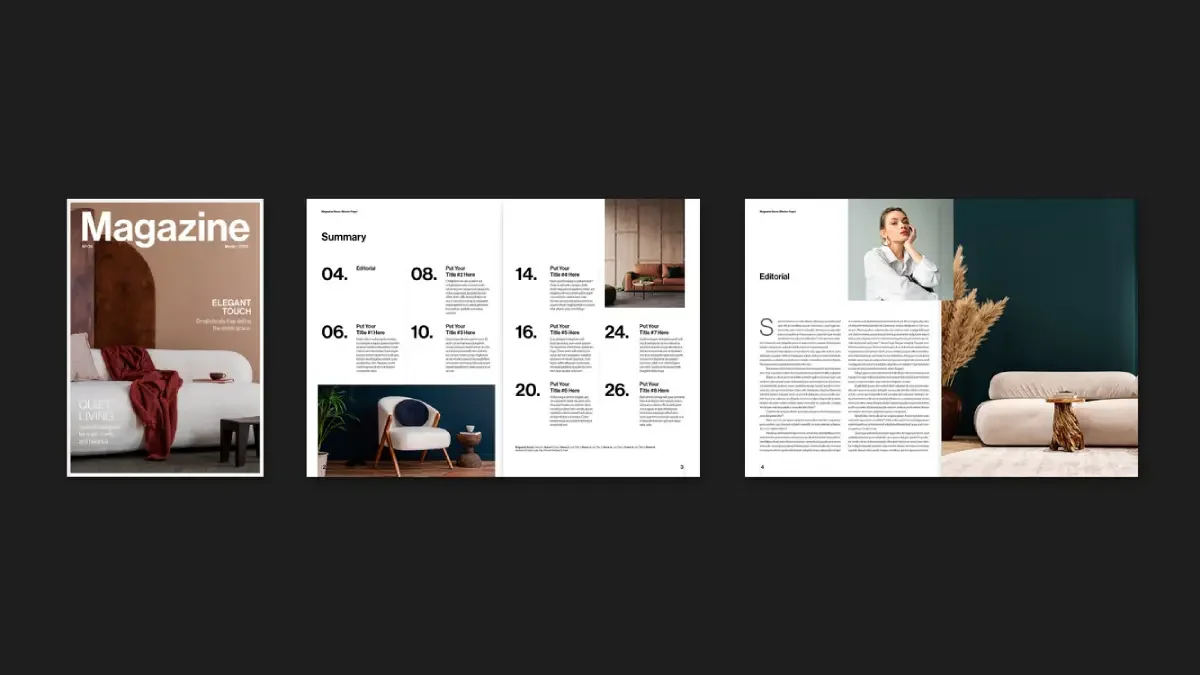
The selection spans 11 categories, including annual reports, brand guidelines, resumes, and pitch decks. Page counts range from 2 to more than 60; formats include A4, US Letter, and 1920 × 1080 pixel screens. Prices and trial offers can change, so each entry links to the template listing and to my full review.
You’ll need Adobe InDesign installed on your computer to use these templates. The latest version for Mac and PC is available through the Adobe Creative Cloud website.
There’s a catch with template marketplaces: Adobe Stock and Creative Market offer more layouts than anyone can sensibly inspect, and a preview rarely shows where a file gives way under real edits. I start with those weak spots. Each entry below explains what the template handles well, what could slow you down, and the kind of job it suits.
Jump to the category that matches your project:
- Annual & Business Reports (6 templates)
- Book Templates (9 templates)
- Brand Guidelines (7 templates)
- Brochure Templates (8 templates)
- Catalog Templates (9 templates)
- Corporate Stationery, Invoice, Letterheads (4 templates)
- Flyers & Posters (6 templates)
- Magazine & Newspaper Templates (11 templates)
- Portfolio Templates (9 templates)
- Presentation & Marketing Templates (10 templates)
- Resume & CV Templates (7 templates)
How I test an InDesign template before trusting it
I don’t judge a template by how little I have to change. I judge it by what happens when I do change it. My Four Swaps Test replaces the content, typeface, palette, and page size. A file has to survive all four to make this guide.
Replace the content
Placeholder copy can conceal a fragile layout. I replace it and watch how the pages respond. Tom Sarraipo’s A4 catalog took less than eight minutes to fill one complete spread; on my second attempt, his 26-page furniture catalog took under six minutes. The Royal Studio’s book template took less than an hour to update with 34 photos and all the body copy. If the same work drags on for an afternoon, the paragraph styles aren’t doing their job.
Change the typeface
Then I swap the font and look for the grid to buckle. RedGiant’s creative digital portfolio updated all 12 pages after one change on a master page. Tom Sarraipo’s 24-page magazine took under 15 minutes to handle two font swaps throughout. Many templates imitate consistency by duplicating text frames. That trick tends to show itself as soon as the type changes.
Change the palette
I try three unrelated palettes. GraphyPix’s A4 resume set went from orange to navy with a single swatch change, and each alternate palette took under five minutes. Tom Sarraipo’s US Letter magazine handled two of the three palettes in my Recolor Tolerance Test. The black-and-white version revealed text blocks that depend on a tinted background to stay legible.
Change the page size
Last, I test the format. RedGiant’s 16-page corporate brochure includes complete US Letter and A4 files, which avoids what I call the Two-Format Tax. Pixejoo’s resume set comes in US Letter only; converting it to A4 requires manual layout adjustments. Every master page you resize by hand takes time and can cost you margin space.
Three checks after the swaps
My CMYK Confidence Check covers the document’s color mode, the profile of each placed image, and a preflight before export. RedGiant’s corporate brochure cleared the check without a flag.
Then I print a proof. In a copy shop test, GraphyPix’s A4 resume set kept its orange accurate, and the Hailward template retained the warmth of its cream background. Orangeberry’s resume printed crisply on 24-pound paper, with body copy around 9–10 points.
Finally, I check contrast on pages with images. McLittle Stock’s minimalist art book puts type directly over texture on some spreads, without a scrim. Thin lettering loses legibility on dark images, so those pages need a close look before they go out.
Annual & Business Reports
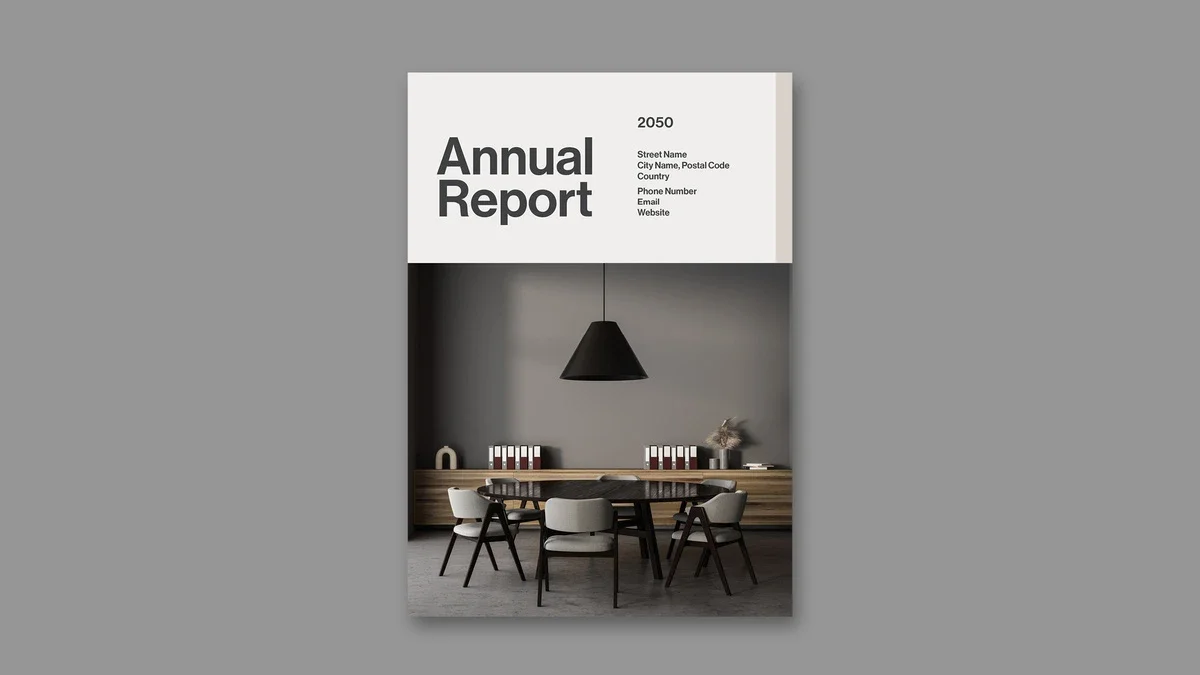
There are six annual and business report templates here, ranging from 12 to 26 pages. Five are listed in A4; Valentin Plesa’s also comes in US Letter. The biggest differences show up where they matter most: on the financial pages.
Valentin Plesa’s 16-page annual report brochure in A4 and US Letter
Valentin Plesa gives this 16-page brochure a quiet palette of blue and turquoise, ample whitespace, and precise typography. It comes in A4 and US Letter, making it usable with printers in Europe and the US. The design gives financial summaries, growth plans, and company achievements their own clear places. If you need a composed report and don’t plan to commission custom design work, it’s a practical choice.
See my full review of Valentin Plesa’s annual report template, or download it from Adobe Stock.
PixWork’s neutral 16-page annual report brochure
PixWork keeps all 16 pages on the same layout. The sample text is for display, so you’ll replace it with your own. The file is set up for print and can also be exported as a PDF for a screen presentation. It’s the most restrained option in this group. That plainness may be exactly what a brand wants. My review dates to 2022.
Read my review of PixWork’s annual report brochure, or get the template from Adobe Stock.
GraphicArtist’s 26-page annual report with teal accents
This is the longest report in the category: 26 pages built around one layout and one color scheme. The A4 file uses CMYK at 300 dpi and is ready for print. You can edit its dimensions and colors, then add your own photography and replace the placeholder copy; basic InDesign skills should be enough. The preview photos aren’t included, and the download is an INDT file.
Read my review of GraphicArtist’s teal annual report layout, or download it from Adobe Stock.
ResumeInventor’s 20-page blue and red annual report
ResumeInventor’s 20-page A4 report uses red, blue, and white. Red is the boldest accent among these six templates, directing attention from section to section. Its page plan covers the expected ground: About Us, Mission & Vision, Market Analysis, Business Solutions, plans, and client reviews. An index and a Meet the CEO page make room for a more personal note. The document uses CMYK for print.
See my review of ResumeInventor’s annual report template, or view it on Adobe Stock.
Tom Sarraipo’s 20-page minimalist annual report
For a finance team, this is the report I’d look at first. Tom Sarraipo uses beige, charcoal, and warm grey to keep the numbers in focus. Large numerals on the contents page preview the report’s structure, and the From The CEO’s Desk page sits neatly within the grid.
The Financial Overview and Business Review pages use simple bar and line charts in the same restrained palette. They make trends easy to scan. The Assurance Report handles dense legal copy in two columns with short line lengths; pull quotes offer a way into the text for readers who skim. On the Our Leadership page, bold names distinguish people from their titles and biographies.
Master pages automate page numbers and margins, a useful detail when a deadline is close. CMYK settings also avoid a color conversion at press time. When I reviewed it, the template was included at no cost with an Adobe Stock trial subscription.
My full review of Tom Sarraipo’s annual report layout covers every page. You can also download the layout from Adobe Stock.
GraphicArtist’s compact 12-page annual report
GraphicArtist’s second report is the shortest in the group, with 12 pre-designed pages. The cover sets a large image above the company logo. Inside are an About the Company page with room to introduce the team, charts for financial and market data, a contents page, and a Future Year Plan. Generous white space and a restrained palette keep it readable. It’s a sensible fit for a short report that still needs the standard sections.
Read my review of GraphicArtist’s compact template, or download it from Adobe Stock.
Book Templates
Nine book templates make the selection. Where the reviews specify a page count, they range from 16 to 52 pages. For me, the chapter opener is the revealing page: it shows whether a template can give a book rhythm, not just a cover.
Tom Sarraipo’s 48-page colorful book layout
Tom Sarraipo’s A4 book uses CMYK across 48 pages. Red, coral, orange, and yellow fields mark chapter openings; teal arrives later. Dark spreads with light type handle data and reference material. The palette does structural work, assigning each hue a role rather than sprinkling color around as decoration.
Oversized numbers such as 87, 1251, 2005, and 4120 punctuate the pages. The display type reaches a scale that may feel excessive, while the body copy stays small. That contrast changes the pace: you move quickly past the text, then pause at the large type. Preview images include an astronaut in orange, headphones, a vintage radio, and a teal fluid pour; all are placeholders.
Paragraph and object styles make it possible to retheme the system in under an hour. The grid has a Swiss influence, but the color treatment needs a client who wants a strong visual presence. I expect color to take on a more deliberate navigational role in editorial and brand books. My review appeared in March 2026.
Read my full review of Tom Sarraipo’s colorful book layout, or download it from Adobe Stock.
The Royal Studio’s 20-page A4 book with 11 urban images
This A4 template includes 11 abstract urban photographs across 20 pages. A blurred city image sits behind white serif lettering on the cover; the title Connection and author name are positioned low, away from the usual center. Orange and amber photography set the tone. The file is CMYK, and an Adobe Stock trial covered the download when I reviewed it.
Each spread gives one image or other visual feature a clear point of focus, with white space organizing the rest. Warm photographs alternate with quieter body pages. The contents page uses two columns and clear section numbers. I assess editorial templates with a Spatial Narrative Index covering Structural Clarity, Visual Momentum, and Adaptive Range. This one scores well in all three. My review dates to May 2026.
See my review of The Royal Studio’s A4 book layout, or get it from Adobe Stock.
Tom Sarraipo’s 52-page book template in A4 and US Letter
At 52 pages, this is the longest book template in the category. Tom Sarraipo supplies both A4 and US Letter versions. The design is minimalist: a firm grid, broad margins, and large image spaces. Text and images are placeholders, while preset styles format a manuscript. The review suggests it for portfolios, novels, photobooks, and brand publications. I reviewed it in August 2025.
Read my review of Tom Sarraipo’s 52-page book template, or view it on Adobe Stock.
Tom Sarraipo’s 48-page book and magazine layout
This A4, 48-page template is supplied in INDD and IDML formats and supports InDesign CS4 and later. It’s prepared for print in CMYK at 300 dpi, with bleeds. The layout keeps decoration secondary to the material being placed in it.
One double-page spread sets the number 63 beside dense copy, using scale to create drama without making the text harder to read. On the Introduction spread, text moves around open space and a marble texture; you can replace the texture with a photograph and the layout adjusts. Preview images aren’t included.
The file can export to print PDF, interactive PDF, or e-book formats. That range makes it useful for architecture monographs, fashion lookbooks, and annual reports. My review appeared in January 2026.
Read my review of the 48-page book and magazine template, or download it from Adobe Stock.
The Royal Studio’s 20-page black-and-white book template
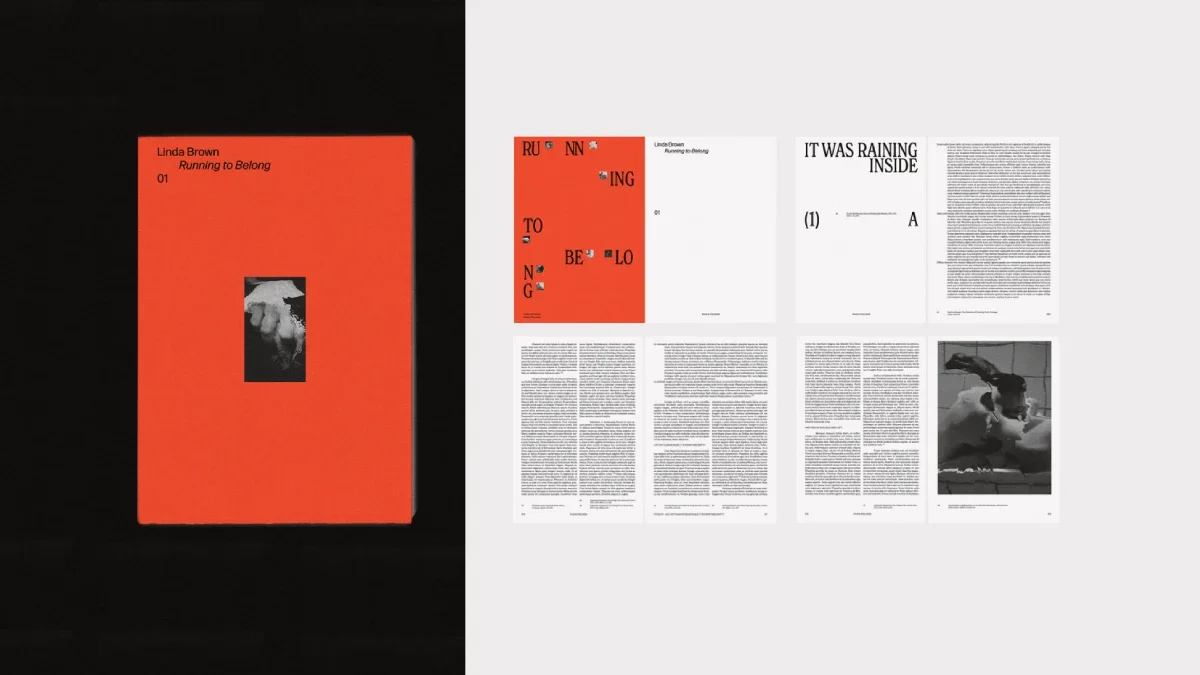
The Royal Studio’s second book template is an A4, 20-page CMYK file supplied with 34 black-and-white photos. A flat orange cover frames the fictional title Running to Belong. Inside, oversized chapter headings sit within wide margins; the body copy runs in narrow columns with generous line spacing. Two dense image grids recall contact sheets, and orange returns on the final spread.
The cover and ending give the book a visual frame: full-bleed orange outside, black and white inside. The image grids break up longer stretches of text and photography, though you’ll want to crop the photos to squares or a consistent ratio first. Otherwise, portrait and landscape images sit awkwardly together.
I replaced all 34 images and rewrote the body copy in under an hour. Master pages control recurring footnote captions, so one style change updates them throughout. There are trade-offs: the file is A4 only, and adapting it to a US trim size such as 6 × 9 inches means resizing every spread. Swapping the bold type pairing also takes careful adjustment. It’s suited to photo books and visual essays, rather than a 300-page novel. My review appeared in September 2026.
Read my review of The Royal Studio’s black-and-white book template, or download it from Adobe Stock.
The Royal Studio’s 20-page urban portfolio book
This CMYK portfolio book moves through covers, chapter openers, full-bleed image spreads, text pages, and index-style lists as one sequence. The download includes the preview images, so you can open a populated file and see how the template handles scale and cropping.
Art books and editorial portfolios
The strongest templates here give the work room to speak. Their page structure sets a pace, and that can be more useful than another set of decorative flourishes. If you’re building a portfolio, resist the temptation to customize everything at once: adjust the type first, then the images, and keep accent colors to one or two.
One layout uses understated typefaces, a consistent scale, and deliberate negative space to create what I call a Contextual Restraint System. The layout itself becomes part of the creative statement: Spatial Authorship. Its European editorial sensibility should suit documentary photographers, architects, and art directors particularly well. I expect print files and digital PDFs to be generated from a single source file within three to five years. That’s a prediction, not a settled direction. My review ran in April 2026.
For another take on the format, read my review of The Royal Studio’s urban portfolio book template or download it from Adobe Stock.
McLittle Stock’s Minimalist Art Book Template in A4, Tested With Real Content
McLittle Stock’s A4 art book strips the palette back to black, white, grayscale, and photographic texture. I tested every spread with real content. The file is CMYK at 300 dpi, includes INDD and IDML versions for CS4 and newer, and uses master pages and paragraph styles.
Its visual argument is simple: oversized headlines against narrow columns of small body text, with some words stacked down the full page. Full-bleed textures—raw concrete, wood grain, cracked leather, matte fur, gravel, marble, woven fabric, and chain-link mesh—alternate with quiet type-only spreads. That contrast gives the book its energy.
But the textured pages need close attention. There’s no scrim behind the type, so thin letters can disappear on dark images; check contrast on every spread. The template also lacks dedicated layouts for pull quotes, captions, and small insets. Repeated all-caps headlines start to shout after three similar spreads, and the preview photos aren’t included. My review ran in September 2026.
Read my full review of McLittle Stock’s minimalist art book template or download it from Adobe Stock.
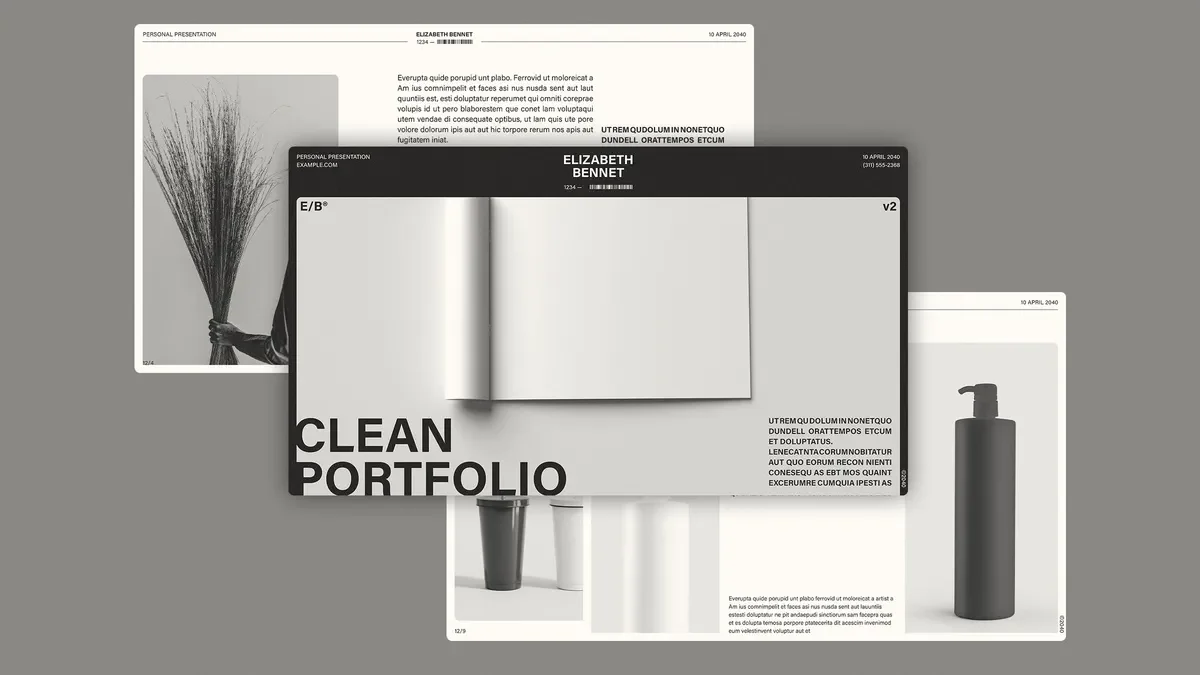
Sirisako’s 16-Page Minimalist Portfolio and Photobook Template in A4 and US Letter
Sirisako’s template, first published in July 2022, is print-ready in both A4 and US Letter. Its 16 designed pages can expand or contract as the project needs: add, duplicate, or remove pages. A few clicks are enough to replace the sample content, and basic InDesign knowledge should be sufficient.
See my review of Sirisako’s portfolio and photobook template or view it at Adobe Stock.
McLittle Stock’s Visual Editorial Art Book Template in US Letter
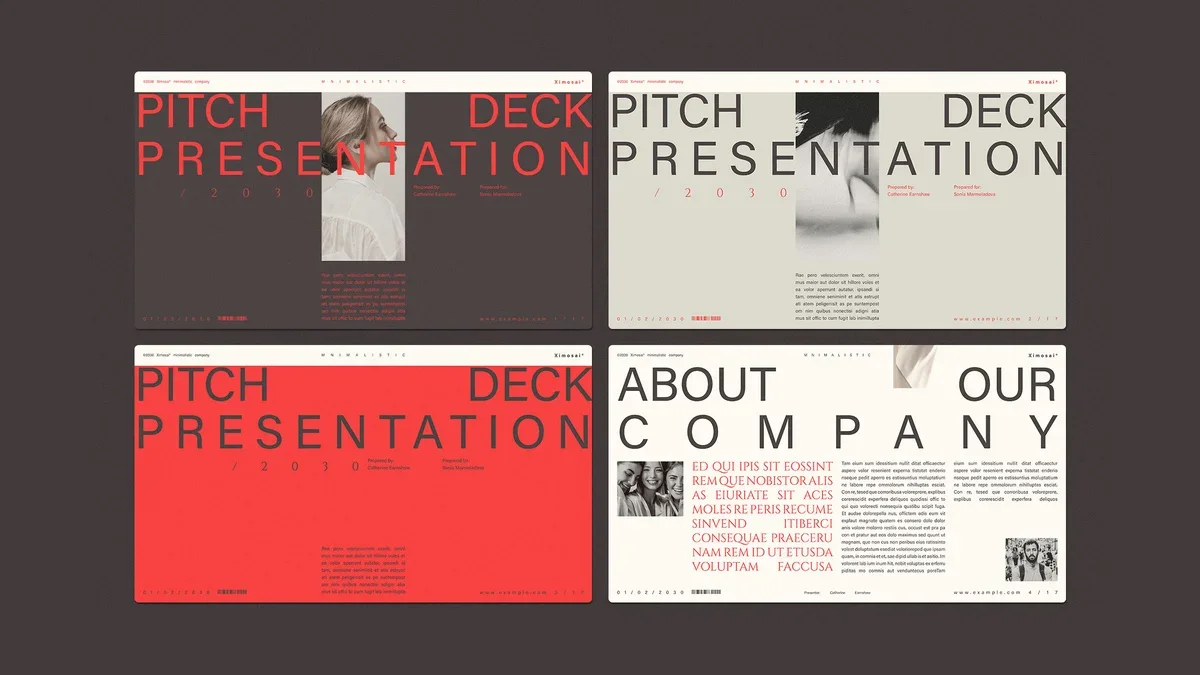
McLittle Stock’s second art book template is built for US Letter, 8.5 by 11 inches, and uses CMYK. Bold, condensed serif headlines sit beside narrow body columns with generous leading. The spreads alternate between full-bleed images and restrained type layouts; the preview’s aerial photography, oil paintings, flat illustration, and botanical art all fit the structure without a struggle.
I think of its pacing as a Visual Breath Sequence: impact, dialogue, then rest. Those three spread types form what I call the Tri-Rhythm Layout System. The structure stays quiet enough for the artwork to lead, a quality I’d describe as Compositional Neutrality. All images and text are placeholders, though, so the real test is how well your own material holds the rhythm.
For print, embed the fonts and export as PDF/X-1a or PDF/X-4. Uncoated stock gives the pages a matte, gallery-like finish; semi-gloss coated paper is better for photographs. I expect editorial art books to become a standard portfolio format within five years for fine artists, photographers, and illustrators. That forecast may prove optimistic, but the format already makes a strong case. My review ran in April 2026.
Read my review of McLittle Stock’s visual editorial art book template or get it at Adobe Stock.
Brand Guidelines
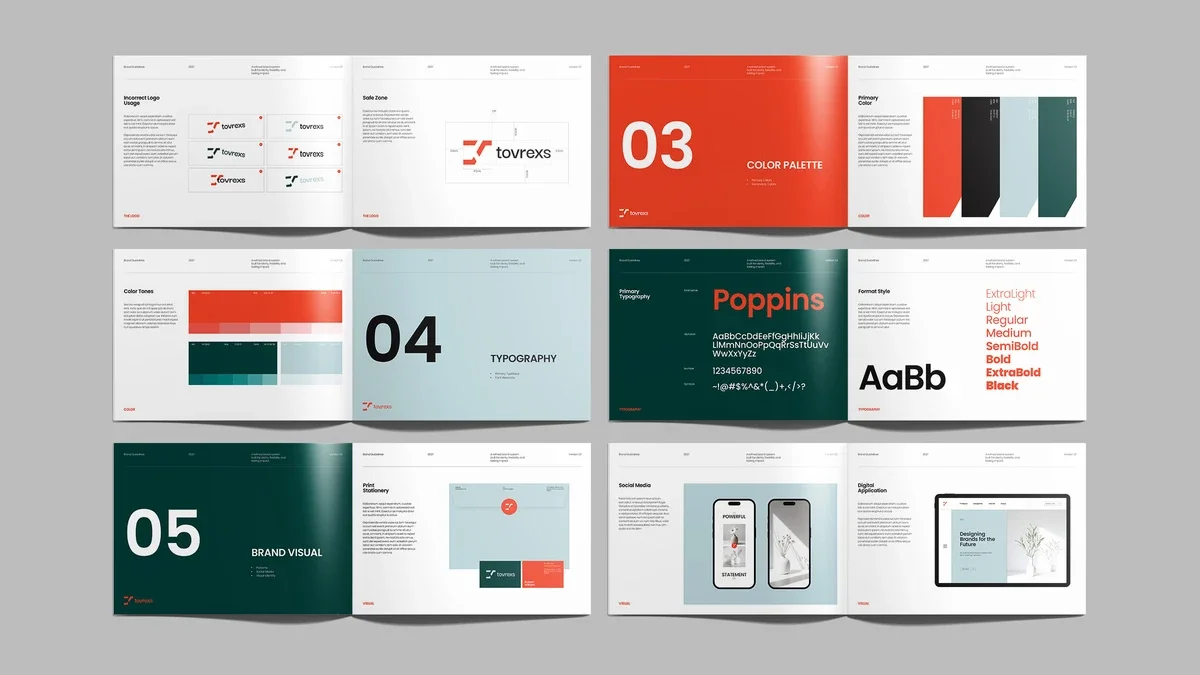
Seven InDesign templates make up this selection: five from Adobe Stock and two from Creative Market. They run from six pages to more than 60, and three are designed for 16:9 screens. The most useful ones begin with strategy. A logo page can show correct usage; it can’t explain what the brand is trying to say.
Designcy Studio’s 22-Page Brand Guidelines Brochure in A4 With Orange and Dark Green
Designcy Studio organizes this 22-page A4 brochure into five numbered chapters: Overview, The Logo, Color Palette, Typography, and Brand Visual. Large color panels and oversized numerals make the chapter openings easy to scan. They work as navigation, not just decoration—a Section Signal System, in my shorthand. The CMYK palette combines orange, dark green, pale blue, black, and white.
The logo section follows a practical sequence, from Primary Logo and Grid System through Logo Variations, Incorrect Logo Usage, and Safe Zone. Typography presents Poppins from ExtraLight to Black. The final chapter moves into Print Stationery, Social Media, and Digital Application pages, creating what I call an Application Proof Ladder: examples of the identity in use.
Proof the orange before committing to a print run. The preview photos aren’t included, and 22 pages leave limited space for motion rules or complicated co-branding. For a large enterprise, this will need substantial expansion.
Read my full review of Designcy Studio’s brand guidelines brochure or download it from Adobe Stock.
Broluthfi’s Magazine-Style Brand Guidelines Template in A4 and US Letter
Broluthfi gives its brand guide the pacing of a magazine. It’s available in A4 and US Letter, with CMYK files for print, and includes two distinct design options. The sample copy is only there to show how the pages work, so plan to replace it throughout.
Inside, you’ll find a logo overview, typography pages for Bold, Regular, and Light, a color-bar options page, and stationery examples such as letterheads and envelopes. Large headings make the sections easy to find. My review dates to July 2024.
Read my review of Broluthfi’s brand guidelines template or see it at Adobe Stock.
ContestDesign’s 16-Page A4 Brand Guidelines Template With Marbled Cover Art
ContestDesign sets an abstract marbled cover against 16 quiet interior pages. That contrast should appeal to high-end brands, while the generous white space and grid keep the content orderly. Separate pages lay out the typography rules and primary and secondary color palettes.
The file is A4 and CMYK. Its labeled, organized layers make it approachable if you’re new to InDesign. I reviewed it in August 2024.
See my review of ContestDesign’s A4 brand guidelines template or get it at Adobe Stock.
RedGiant’s Six-Page Brand Guidelines Presentation at 1920 by 1080 Pixels
RedGiant’s six-page guide is made for screens at 1920 by 1080 pixels. Its sample identity, Creviden, uses black, blue, yellow, and gray, with strong horizontal and vertical lines to organize the content.
The Brand Logo page covers usage and clear space. Brand Color lists RGB and HEX values alongside lighter swatches. Separate primary and secondary font sections show letters and numerals, while the imagery page pairs product shots with lifestyle photography. All the text, images, and colors are placeholders. Duplicate pages to add web assets, social icons, or voice and tone guidance.
This is a presentation deck for meetings and screen sharing; it won’t serve as a printed manual. My review ran in October 2025.
Read my review of RedGiant’s brand guidelines presentation or download it from Adobe Stock.
Studio Industry’s Osla Brand Guidelines With 36 Animated Slides for InDesign and Canva
Osla is the only guide in this group that doesn’t depend on InDesign. Studio Industry supplies files for Canva, PowerPoint, Google Slides, and InDesign in both INDD and IDML. There are 36 animated slides in 16:9 full HD, with master layouts and drag-and-drop photo replacement.
Free fonts come with the package, and the Google Slides version needs no font installation. Its elegant, feminine styling points toward fashion, beauty, photography, and lifestyle brands. You’ll buy it through Creative Market. My review ran in July 2025.
Read my review of the Osla brand guidelines template or get Osla at Creative Market.
PixWork’s 16-Page Brand Guidelines Brochure With Desert Photography
PixWork’s 16-page A4 brochure uses CMYK and leans into a desert palette: dune photography, a dark cover, bright white interiors, black and white foundations, then sandy gold and earthy orange accents. Vertical black bars mark sections across many of the pages.
The guide covers the brand story, logo construction, primary color use, mobile mockups, icon sets, and prohibited logo treatments. A pixel-like geometric mark gives the sample identity a digital feel. The images and copy are placeholders; colors can be changed in the Swatches panel, and master pages update the whole file. My review ran in October 2025.
Read my review of PixWork’s brand guidelines brochure or see it at Adobe Stock.
Lab.131’s Petricore Brand Guidelines Template With 60+ Pages of Real Content
At more than 60 pages, Petricore by Lab.131 is the biggest guide in this selection. It comes in INDD and IDML, designed at 1920 by 1080 pixels, and uses real copy instead of lorem ipsum. That’s a meaningful design choice: populated pages show what brand guidance sounds like when it has to explain something. I call the approach populated logic.
I spent a week testing it with a fictional skincare brand, Marlow & Ash. I kept the template’s grid, type scale, and color logic, and the structure held up. Logo pages specify clear space and minimum size. Color pages include HEX, RGB, CMYK, and Pantone values. I checked the primary and secondary color pairings for contrast, and every pairing passed for body text.
The sequence is the template’s strongest feature. Its Five-Layer Identity Stack starts with Strategy, then moves through Mark, Type, Color, and Application. Mission, vision, values, and tone of voice come first; the later pages refer back to them. Even the imagery guidance gives photographers useful framing, lighting, and mood cues instead of leaning on vague adjectives.
There are practical limits. Mockups and photography aren’t included, and the 1920 by 1080 pixel layout needs resizing for A4 print. You’ll need an InDesign license to open it. If you replace the supplied free fonts with a typeface that has a taller x-height, check the vertical rhythm on dense pages. My review ran in July 2026.
Read my full review of the Petricore brand guidelines template or buy Petricore at Creative Market.
Brochure Templates
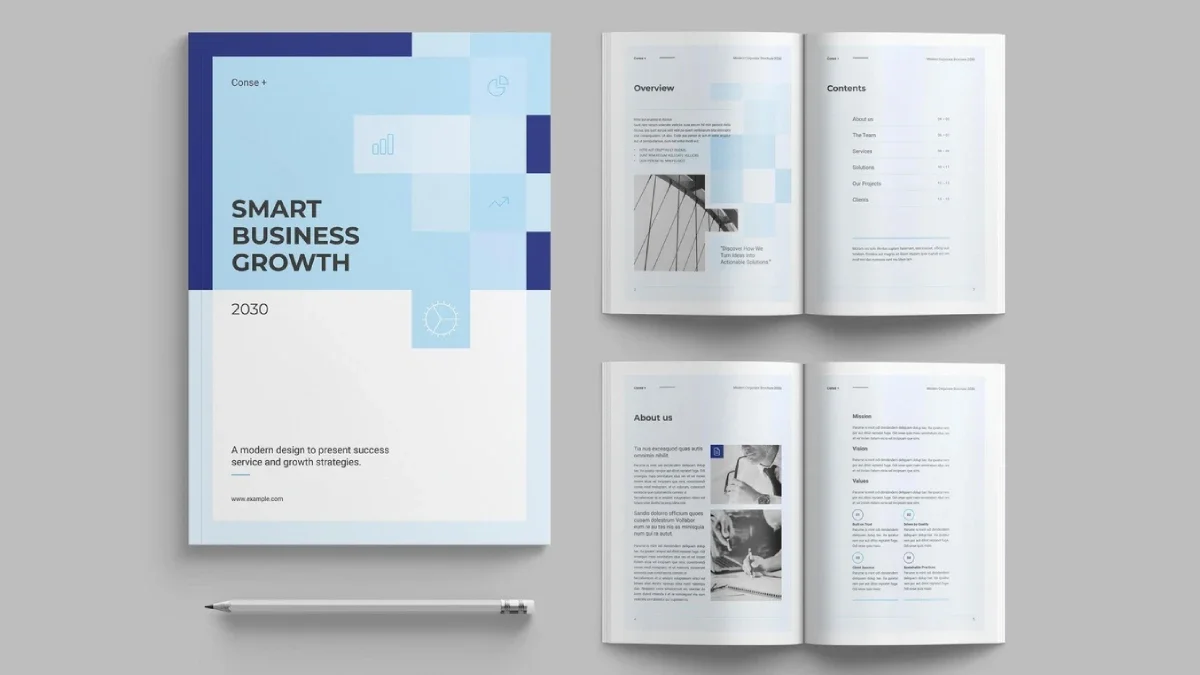
Eight InDesign templates make up this brochure selection: two bifolds, one tri-fold, and five multi-page designs. Where reviews give a page count, the range is 12 to 24 pages. Only RedGiant supplies separate, complete US Letter and A4 files. I judge these templates by how the pages unfold, because a polished cover can’t rescue a muddled sequence.
Boris Cupac’s 24-Page Blue Brochure Template in US Letter
Boris Cupac, who publishes on Adobe Stock as Refresh, designed this 24-page US Letter brochure in shades of blue and white. Minimal graphic accents give it a contemporary tone, and the InDesign file is fully customizable. Alongside Bourjart’s A4 design below, it ties for the longest brochure in this group.
Read my review of Boris Cupac’s blue brochure template or download it from Adobe Stock.
GraphicArtist’s A4 Portfolio Brochure Template in Black and White
GraphicArtist’s A4 portfolio brochure pairs a dark, assertive cover with black-and-white interior pages. It’s CMYK at 300 dpi, includes bleeds, and arrives in INDD and IDML. A modular grid gives the pages a consistent framework.
Text-led and image-led spreads alternate, while the Portfolio section headings deliberately break the grid. That interruption gives the sequence editorial movement. Table of Contents, Values, and About pages also give a creative studio space to explain its point of view. I call the effect Negative Space Authority: white space frames the work instead of competing with it.
The images are placeholders. You can swap the clean sans-serif type and colors, and master pages make repeated edits faster. My review ran in January 2026.
Read my full review of GraphicArtist’s A4 portfolio brochure or download it from Adobe Stock.
GraphicArtist’s 16-Page Bi-Fold Brochure Template for Adobe InDesign
This bi-fold design contains 16 customizable pages. You can revise the layout, colors, images, and copy, replacing the sample text with your own in a few clicks. At the time of my October 2021 review, the download was covered by an Adobe Stock trial subscription.
Read my review of the 16-page bi-fold brochure template or see it at Adobe Stock.
Bourjart’s 24-Page A4 Brochure Template With Gray Accents
Bourjart’s A4 brochure also runs to 24 customizable pages. Gray accents keep the design restrained; the file is print-ready and can also be exported as a PDF for screen presentations. At the time of my November 2021 review, an Adobe Stock trial subscription covered the download.
Read my review of Bourjart’s brochure with gray accents or download it from Adobe Stock.
RedGiant’s 16-Page Corporate Brochure in US Letter and A4, Tested for a Week
RedGiant is the only brochure here that includes two complete files, one in US Letter and one in A4. Each version has 16 CMYK pages. I tested it for a week, and the practical value is clear: it saves you the Two-Format Tax of rebuilding a single-size template for another standard.
The sequence reads like a company profile or annual report. It opens with a cover, overview, and contents page, then moves to the company’s mission and values, a CEO message, and team biographies. Services and process pages lead into a project showcase; client information and testimonials come before the closing contact page.
The template reviews here make a useful point: a clean grid and a print-ready file can save production time, but they don’t make every layout right for every job. The corporate brochure, for example, organizes services into six icons across two columns, gives a four-step process numbered day ranges, and sets three headline figures apart: years of experience, projects completed, and client satisfaction. My August 2026 CMYK Confidence Check found no preflight flags. I checked the document’s color mode, the profile of each placed image, and the preflight report before export. Preview photos aren’t included. The disciplined grid suits corporate work; it’ll feel restrictive for a more experimental editorial project.
For the full assessment, read my hands-on review of RedGiant’s corporate brochure template, or get it at Adobe Stock.
GraphicArtist’s 14-Page A4 Bifold Brochure
This business-focused template gives you 14 customizable A4 pages in a modern, straightforward layout. Text, images, and graphics are easy to replace, and the file is print-ready. My review dates to August 2022.
See my review of the simple bifold brochure template, or download it from Adobe Stock.
RedGiant’s A4 Business Tri-Fold With Red Accents
RedGiant supplies two design options for this A4 CMYK tri-fold. Grey and white provide the base; red draws attention to headings and calls to action. On the cover, a large portrait photo sits with the headline CREATIVE WORK. The inside panels introduce Who We Are, Our Services, and Why Choose Us. Icons illustrate strategic planning and market analysis in the services panel, while testimonials with headshots and a contact panel finish the fold. The copy and photography are placeholders. I reviewed it in July 2025.
Read my review of RedGiant’s business tri-fold brochure, or see it at Adobe Stock.
Refresh’s 12-Page Desert Dreams Brochure
Refresh builds this US Letter brochure around a strong grid and generous white space. The Adobe Stock creator name belongs to Boris Cupac, who also made the blue brochure above. Listed as Lifestyle Desert Dreams Brochure Layout, its previews show desert scenes; you supply your own images by dragging them into frames. Pasted text adopts the paragraph styles automatically, a small feature that can make routine edits quicker.
The layout could serve company profiles, creative portfolios, real estate lookbooks, or event programs. My review ran in October 2025. Read my review of Refresh’s 12-page brochure template, or download it at Adobe Stock.
Catalog Templates
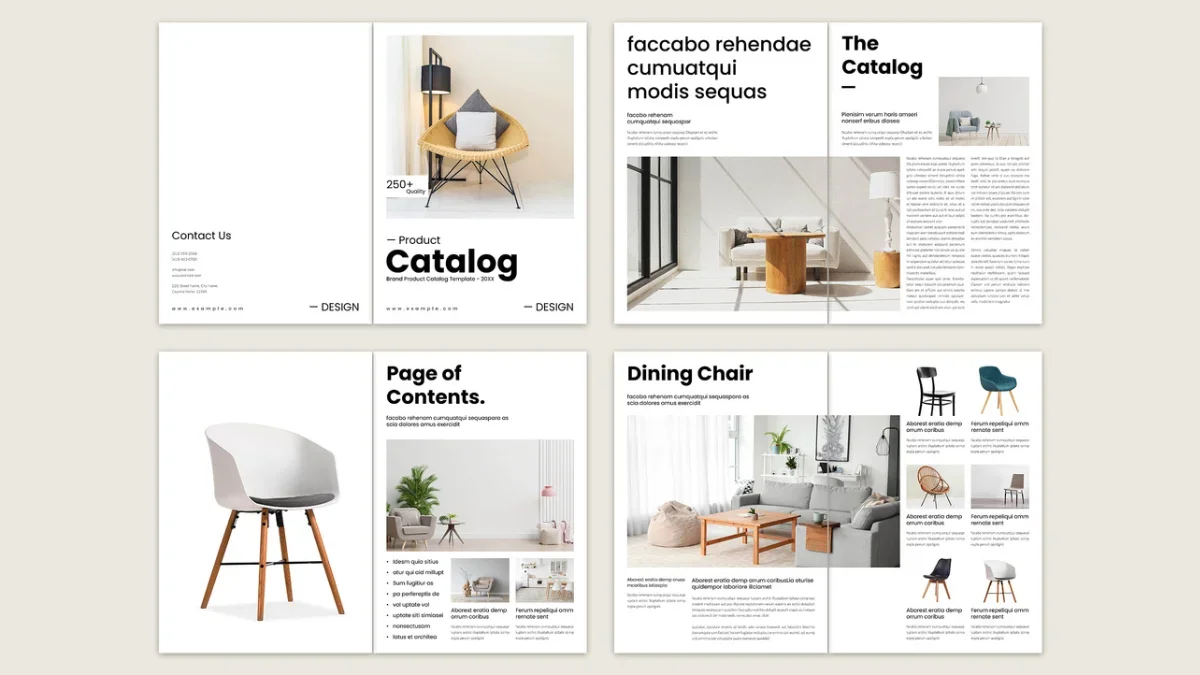
Nine InDesign catalog templates make up this selection, including four by Tom Sarraipo. Among the templates whose reviews specify a page count, the range is 16 to 26 pages. BrandPacks, Sirisako, E-Type, and Sarraipo’s 24-page design come in both A4 and US Letter. PixWork’s is the only screen-first option. That distinction matters: a catalog has to make product pages work, because a polished cover can’t compensate for weak product presentation.
Tom Sarraipo’s A4 Furniture, Interior and Product Catalog
Sarraipo’s catalog starts with a bold Catalog title, the subtitle Furniture | Interior | Product, and a full-bleed image placeholder. The file is CMYK. Across several sessions, I tried it with furniture collections, interior lookbooks, and product lines; the structure held up across all three.
A summary spread combines sample images and color swatches. Product cards provide names, item codes, short descriptions, and swatches; collection openers pair a large headline on the left with an introduction and a dominant image. The page types each have a distinct purpose, which I call the Modular Clarity Framework.
Products appear first in lifestyle photography, then in more information-heavy item cards. That sequence creates context before asking readers to compare details. I call it Contextual Proximity. Replacing the placeholders on a full spread took me less than eight minutes. My review ran in June 2026.
Read my full review of Tom Sarraipo’s A4 catalog template, or download it at Adobe Stock.
McLittle Stock’s Minimalist A4 Art Catalog
Artists, galleries, and designers are the intended audience for this A4 file. Clear lines, restrained typography, and generous white space give the artwork room to lead. The sample text and images are placeholders, and the designed pages can be customized. Finished work can be exported as a PDF for online viewing. I reviewed it in March 2025.
See my review of McLittle Stock’s art catalog template, or view it at Adobe Stock.
Tom Sarraipo’s 26-Page A4 Furniture and Interior Catalog
This second Sarraipo design has 26 predesigned A4 pages in CMYK. I spent three hours examining it. Large product photography drives the grid, which makes sense for furniture: customers need to see the sofa before they read about it.
The page mix includes covers, closing pages, brand-story spreads, full-bleed product images, three- and four-item grids, specification pages for dimensions and materials, and lifestyle scenes. That breadth reflects the actual work a catalog must do; I call it Full Catalog Coverage.
Starting in CMYK avoids the screen-to-press mismatch I call the Print Fidelity Gap. Preview photos aren’t included, consistent with the Placeholder Photography Principle: the template and the licensed images are separate. On my second attempt, I replaced a full product spread in under six minutes. The gap I found was a missing digital companion layout. My review ran in August 2026.
Here’s my hands-on review of the 26-page furniture catalog template; you can also get it at Adobe Stock.
BrandPacks’ 20-Page Minimalist Catalog
BrandPacks includes 20 pages in A4 and US Letter, with CMYK INDD and IDML files. Bold headings balance delicate serif body type, while black and grey accents leave product photography in focus. Master pages and organized layers support quick edits; grey boxes mark the image placeholders.
The underlying grid guides the reader without calling attention to itself, a quality I call Silent Grid Architecture. The pacing moves between dense information and open image spreads, following a sequence from introduction to highlights to contact. Minimalism raises the bar for image quality: low-resolution photography has nowhere to hide. My review ran in January 2026.
Read my review of the BrandPacks catalog template, or download it at Adobe Stock.
Tom Sarraipo’s 26-Page Catalog for Designer Furniture
Sarraipo’s third catalog in this selection has 26 A4 CMYK pages, colored deep charcoal, warm ivory, and muted sage. Sage marks the covers; charcoal backgrounds distinguish product sections. On the summary page, index entries sit beside small product thumbnails. It reads as a deliberate design feature, not just a contents list.
The sequence moves through orientation, immersion, and resolution, which I call the Three-Phase Catalog Arc. Mid-book grid spreads show multiple products with color chips, and full-bleed lifestyle photography brings the book to a close. Its modular grid allows pages to be reordered without disrupting the sequence, or, as I call it, Plug-and-Play Grid Logic. For print, use 300 dpi photography and request a proof before the full run. My review dates to March 2026.
See my review of the designer furniture catalog layout, or view it at Adobe Stock.
Sirisako’s 20-Page Product Catalog
Sirisako’s clean layout comes in A4 and US Letter, with 20 pages that can be duplicated or extended. The sample images and text are for display only. Basic InDesign skills are enough to make edits, and when I reviewed it, an Adobe Stock trial subscription covered the download at no cost.
Read my review of Sirisako’s clean product catalog template, or see it at Adobe Stock.
Tom Sarraipo’s 24-Page Minimalist Product Catalog
This 24-page template comes in A4 and US Letter. A contemporary sans serif, clear type hierarchy, and open space put the products first. About Us and collection pages also make the layout suitable for a portfolio. My review dates to September 2024.
Here’s my review of the 24-page minimalist product catalog, plus the Adobe Stock download.
E-Type’s Product Catalog in US Letter and A4
E-Type provides US Letter and A4 versions, along with INDD and IDML files. Replaceable text and image placeholders sit on organized layers. The file supports both print PDFs and interactive PDFs with hyperlinks. My review names no page count, making this the broadest general-purpose option in the selection. I reviewed it in May 2025.
Read my review of E-Type’s product catalog template, or see it at Adobe Stock.
PixWork’s 16-Page Screen Presentation Catalog
PixWork’s 1920 by 1080 pixel catalog is the only screen-oriented option in this category. Its 16 predesigned pages use plenty of white space and are aimed at furniture, technology, fashion, and lifestyle products. Colors, type, and layout can all be changed. My review ran in June 2024.
See my review of PixWork’s product catalog presentation template, or download it from Adobe Stock.
Corporate Stationery, Invoices and Letterheads
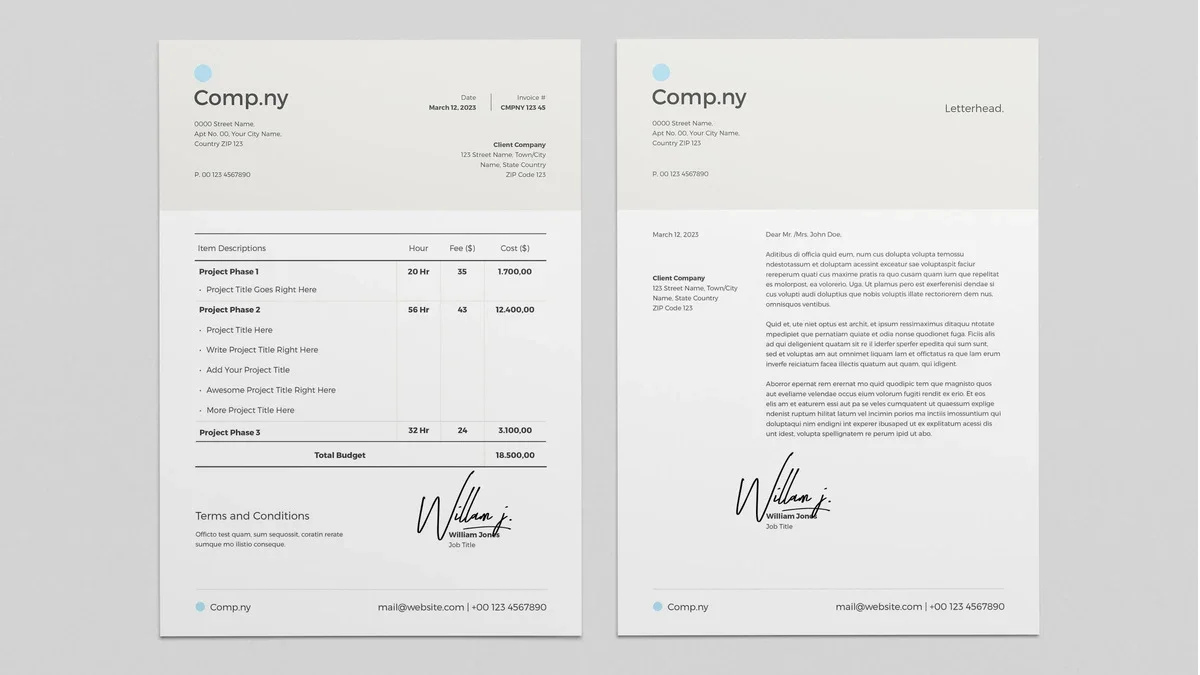
Four templates cover routine brand documents: two invoices, one stationery set, and one letterhead. Three are available in A4; two of those also include US Letter. If you’re setting up a new brand, start with the letterhead and stationery, then add an invoice when you need one.
Broluthfi’s Invoice and Cover Letter
This print-ready invoice template includes a cover letter and comes in A4 and US Letter. You can add a logo and text in a few clicks. I reviewed it in March 2022.
Read my review of Broluthfi’s invoice template, or download it at Adobe Stock.
Orangeberry’s Green and Beige Stationery Set
This set includes a cover letter, envelope, and two-sided business card, all editable in InDesign. Add your own text, images, and graphics. Green and beige accents give the neutral design a warm tone that works for individuals or companies. It’s the only template here with both an envelope and business card.
See my review of the green and beige stationery set, or get it at Adobe Stock.
Bourjart’s Clean Invoice in CMYK
Bourjart keeps this invoice simple and adaptable, with US Letter and A4 versions in CMYK. Fonts, colors, logos, and layout can be changed to fit a brand. My review ran in April 2024.
Read my Bourjart invoice template review, or see it at Adobe Stock.
GraphicArtist’s A4 Corporate Letterhead
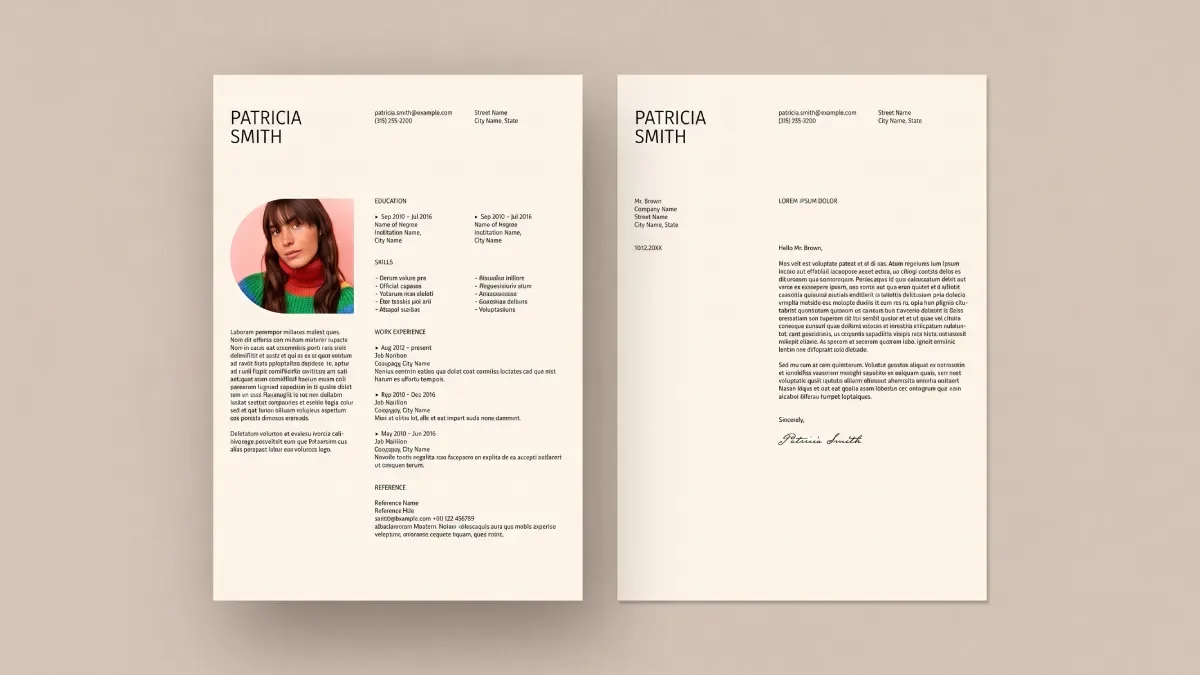
GraphicArtist’s A4 CMYK letterhead uses thin blue rules and faint geometric outlines to organize a largely white page. Sender, recipient, date, and body text are placeholders; a marked space holds the logo. Recoloring the blue lines and shapes takes a few clicks. It’s the newest item in this category, reviewed in July 2025.
Read my full review of the GraphicArtist letterhead template, or download it at Adobe Stock.
Flyers and Posters
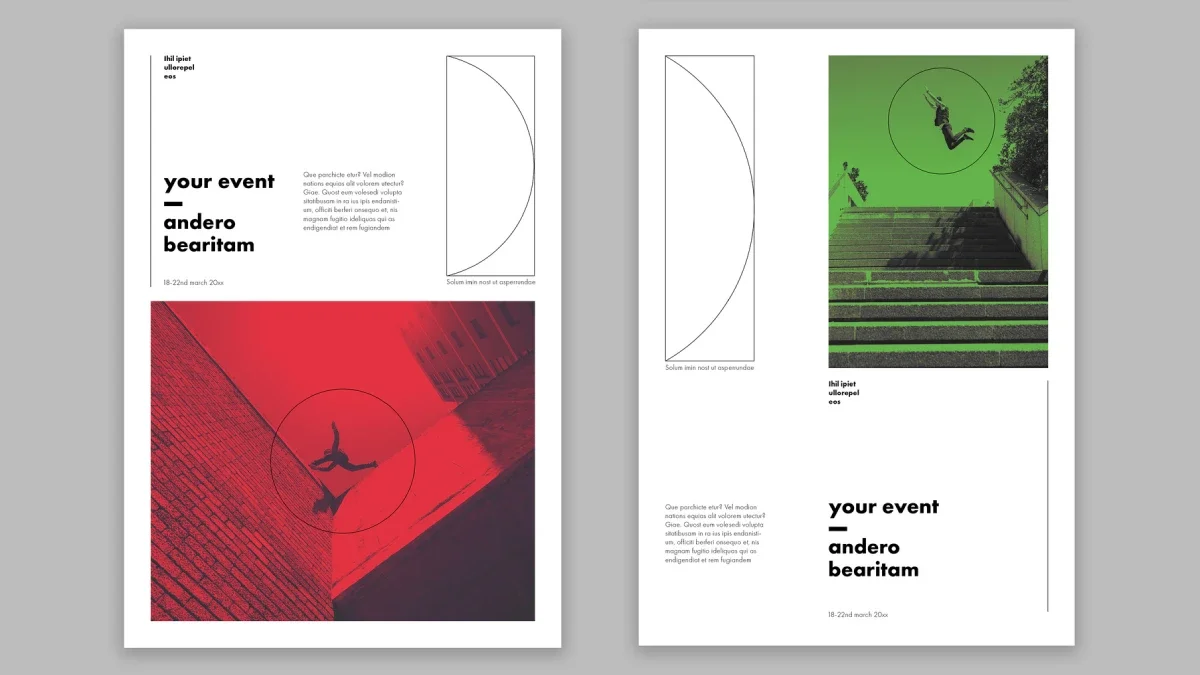
This group contains six InDesign templates: two flyers, three posters, and one gift voucher. Sizes range from an 8.5 by 3.5 inch voucher to an 18 by 24 inch poster. Only PixWork’s two entries are conventional flyers.
PixWork’s Editable A4 Flyer
The Red Box Flyer listing offers a fully changeable A4 layout. Replace the sample copy and images in a few clicks. The InDesign file is print-ready, and you can save a low-resolution PDF for screen presentations. My review dates to August 2021.
Read my review of PixWork’s A4 flyer template, or download it at Adobe Stock.
BrandPacks’ Christmas Gift Voucher
Designed at 8.5 by 3.5 inches, this two-page voucher uses CMYK and includes bleed. Deep red and a pattern of intersecting circles and semicircles set the tone. The front carries the Gift Voucher headline; the back contains terms and conditions, a Valid Until field, and a QR code placeholder. Skipping Santa and reindeer makes the design a plausible fit for boutiques, spas, and cafes.
Every text field is editable, and the layers are labeled and organized. Classic serif type paired with clean sans serif details keeps the voucher traditional without leaning on holiday clichés. My review ran in December 2025.
Across these categories, the practical differences are often more useful than the sales language: page size, image requirements, color mode, and whether a template is built for print or screens. Start with those constraints. Then judge the grid by how well it supports the work your audience needs to do.
| Rev | Description | Date |
|---|---|---|
| A | Issued for reading | |
| B | Viewed 976 times | Current |