Important, Not Important’s Illustration System Grows from Icons to Editorial Scenes
- Project
- Graphic Design
- Drawn by
- Anastasiia Lutsenko
- Issued
- Sheet
- A-175
A restrained palette, 1.5–3px outlines and reusable mini-worlds give Important, Not Important a visual language built for frequent science communication.
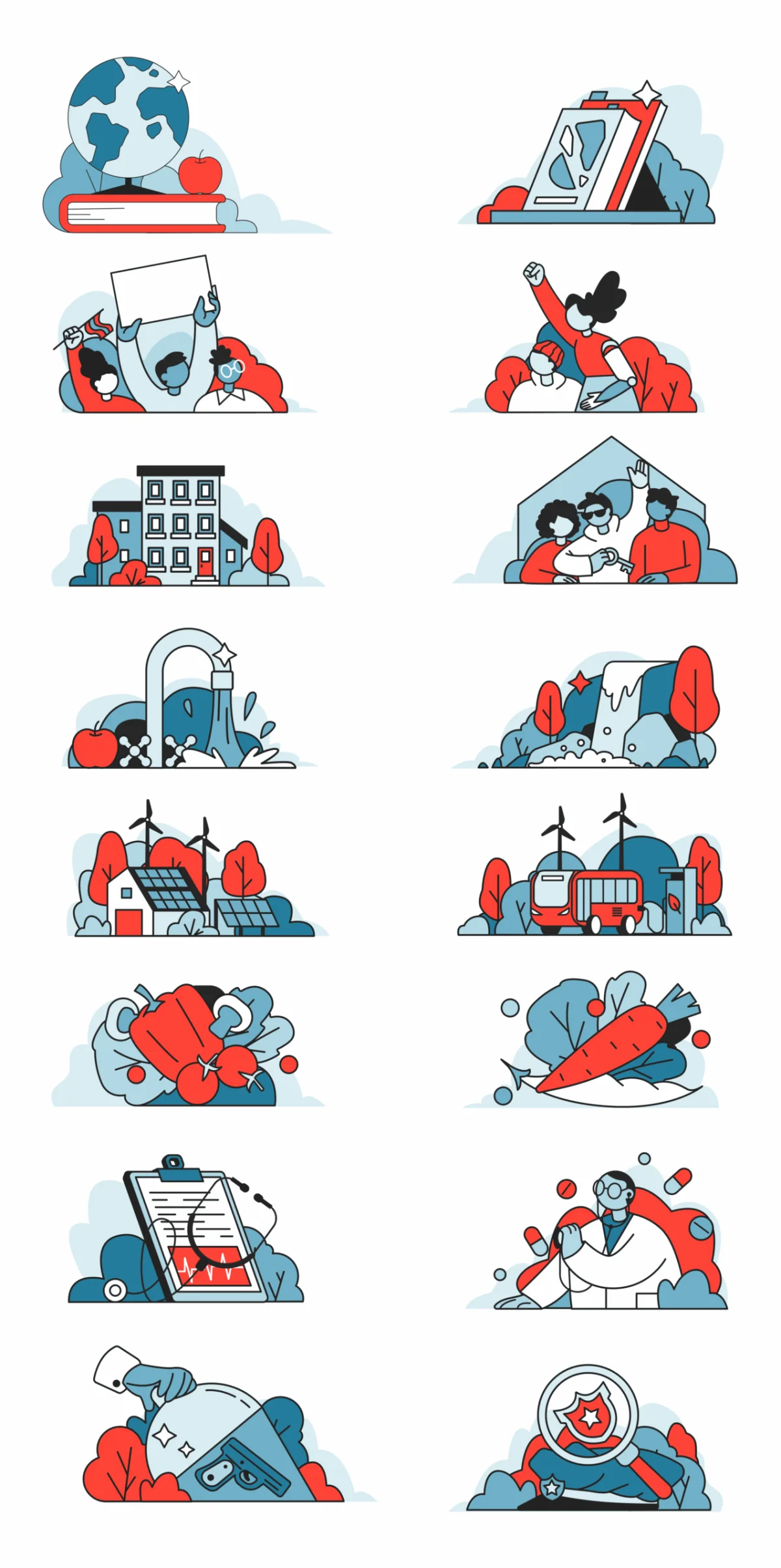
For a science communication platform, illustration has to attract attention without making serious subjects feel like spectacle. The visual system for Important, Not Important meets that challenge by growing a small set of icons into a library of detailed editorial scenes. Its consistent line work and restrained color help each image signal the subject while leaving room for the page around it.
One visual language, from icons to scenes
The system began with compact symbols: binoculars, calendars, megaphones, stars, file folders, trash cans, rockets and hourglasses. Their flat, monoline style felt grounded in the existing brand, giving the designers a starting point for a larger illustration vocabulary.
As the library expanded, those individual objects became panoramic “mini-worlds.” Horizontal cityscapes bring together wind turbines, civic buildings and green spaces in scenes drawn with the same line weight and visual attitude as the original icons. That continuity makes the change in scale feel natural. A small symbol and a populated landscape can serve different content needs while still reading as parts of one system.
For a platform publishing across many categories, that range matters. A reusable library needs to offer more than a collection of isolated images: its parts must work together, and new scenes must feel at home beside earlier ones. The shift from icons to environments gives the system room to cover broader subjects without losing its recognizable character.
Sketch quickly, keep the outlines disciplined
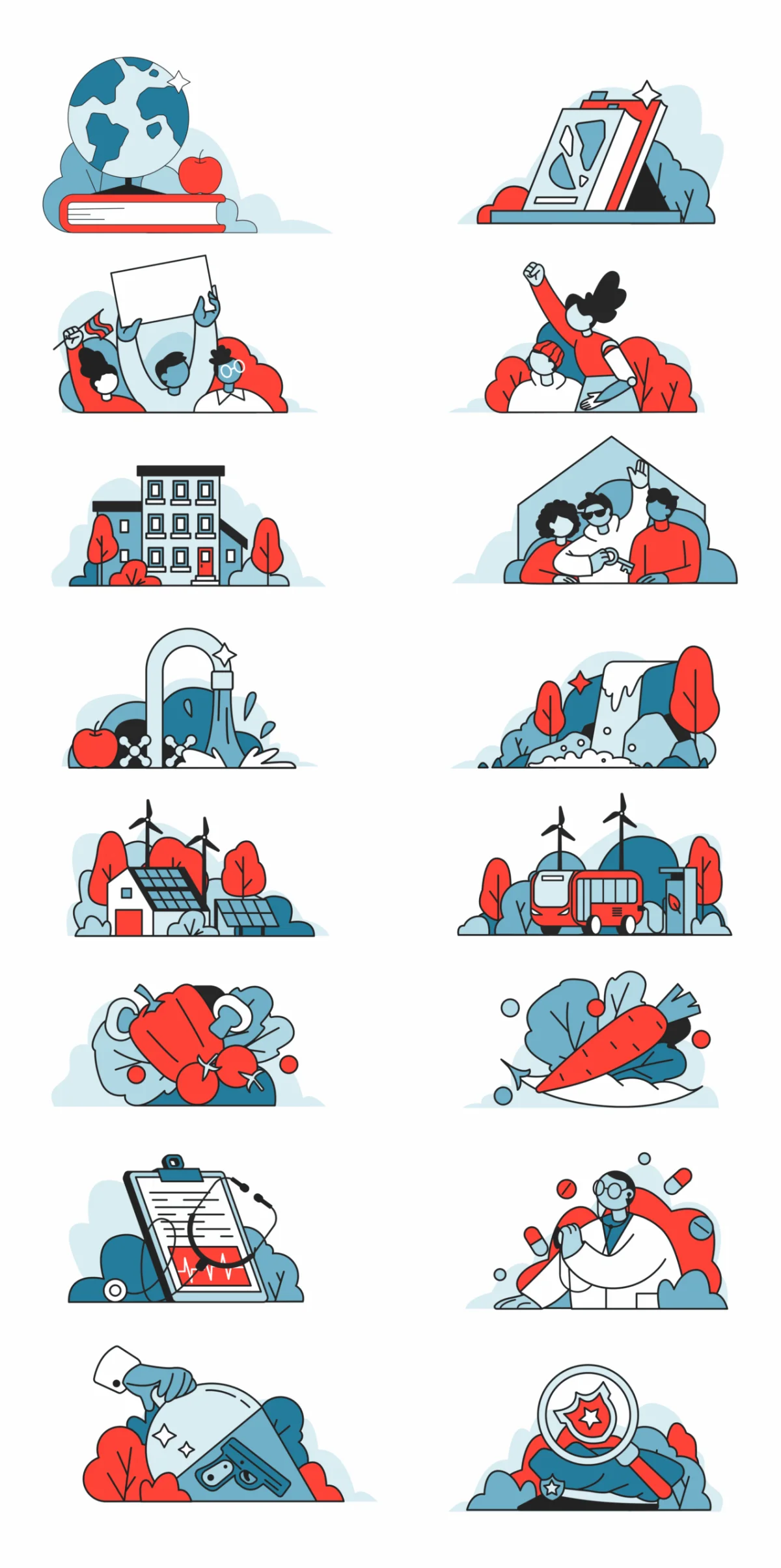
The working method moves from loose, gestural sketches to clean outlines without dwelling on an elaborate rendering stage. Stroke widths generally sit between 1.5 and 3px. That narrow range gives different subjects a shared structure: forms stay legible, edges remain distinct, and the library holds together even when its scenes vary widely.
Color follows a similarly controlled logic. Instead of relying on gradients or atmospheric shading, the illustrations use solid color “splashes” to guide attention. Warm red-coral marks moments associated with fire, urgency or motion; other areas stay quieter. This lets the image point toward a subject without competing with nearby interface elements.
That balance is especially useful in editorial interfaces, where an illustration has to share space with headlines, navigation and interactive controls. A limited accent can establish a focal point, while the line drawing carries the rest of the scene. The image contributes to the page’s meaning without taking over its visual hierarchy.
Geometry with an editorial point of view
The style uses simplified shapes familiar from contemporary technology illustration: circles can become trees, rectangles can form buildings, and soft silhouettes can suggest a skyline. Here, that visual economy serves scenes with specific subject matter. People hold signs, researchers work at lab benches, and crowds gather around a warming planet. Each composition can introduce an idea before a reader reaches the accompanying text.
Some images make the connection more direct. A globe on fire or a partly submerged city ties the illustration to climate, science and civic life. These aren't generic decorative scenes; their subject matter gives the platform a clear visual point of view and helps readers understand the kind of material they have opened.

Specificity also raises the stakes for consistency. When an image carries an argument, its tone has to fit the content as well as the broader brand. A shared visual grammar gives the team a way to make scenes that feel direct and human while keeping their execution measured.
Designing a library for ongoing publishing
The platform publishes frequently, so the illustration collection functions as working infrastructure rather than a one-time set of assets. That changes the design problem: each decision about line, color and character style must support future additions as well as the first batch of scenes.
Three principles help make a system work at that scale:
- Make components reusable. Characters, settings and objects should adapt to many contexts. A memorable standalone image may solve one brief, but a library also needs parts that can be combined and extended.
- Set the visual rules early. Agreeing on line weight, color use and character design gives each new illustration a dependable starting point. The rules reduce the need to reinvent the style every time the subject changes.
- Give the imagery a clear stance. A scene can tell readers something about the platform before they read a headline. For Important, Not Important, the images are meant to feel direct, urgent and human.
The broader lesson is practical: a cohesive library comes from shared decisions that hold across many pieces. Visual polish can make an individual illustration memorable, but consistent logic is what lets a whole system grow. For teams planning frequent editorial work, the useful test is whether the rules can produce the next scene as clearly as they explain the last.
| Rev | Description | Date |
|---|---|---|
| A | Issued for reading | |
| B | Viewed 699 times | Current |